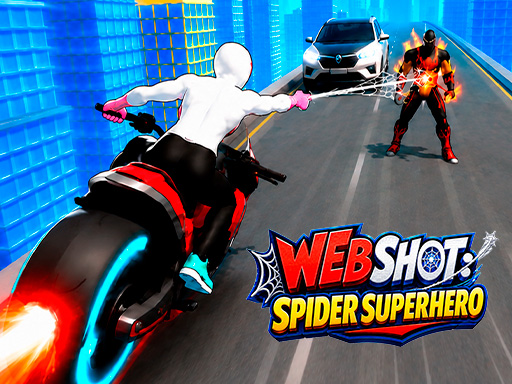
Web Shot: Spider Superhero
Take on the role of a spider-powered superhero in a casual open-world metropolis. Fight enemies, move between skyscrapers with web-based flight, activate abilities, and face crime bosses.
About Web Shot: Spider Superhero
Web Shot: Spider Superhero is a casual superhero game set in an open-world metropolis. Play as a legendary protector with spider powers while exploring a realistic 3D city environment. Use webs to move and fly between skyscrapers, then take part in street brawls against enemies and gangs. The game combines movement, web flight, attacks, special moves, abilities, and quest interactions. Tap or click enemies to strike and unleash special moves. Ability icons and quest objects can also be activated directly on the screen as you work toward becoming a threat to crime bosses. The game is designed for fans of spider-powered heroes, flying movement, casual action, and open-world crime-fighting games.
Gameplay
This casual game combines superhero movement, web-based flight, enemy combat, special moves, ability activation, and quest interactions. Hold and drag to run or shoot webs to fly, then tap or click enemies to attack. Explore the 3D metropolis, fight gangs, and encounter boss-related action.
How to play
1. Hold the screen on touch devices or hold the left mouse button and drag in the desired direction to move your character. 2. Continue holding and dragging to run or shoot webs to fly. 3. Tap the screen or click the left mouse button on enemies to strike. 4. Tap or click enemies to unleash special moves. 5. Tap or click ability icons to activate available actions. 6. Tap or click quest objects to interact with them. 7. Explore the metropolis, fight crime and gangs, and take part in boss-related encounters.
Frequently asked questions
What is Web Shot: Spider Superhero?
Web Shot: Spider Superhero is a casual game about a spider-powered protector fighting crime and gangs in an open-world 3D metropolis.
How do I move and fly?
Hold the screen or the left mouse button and drag in the direction you want to move. This lets your character run or shoot webs to fly.
How do I attack enemies?
Tap the screen or click the left mouse button on enemies to strike and unleash special moves.
How do I activate abilities and quest objects?
Tap or click ability icons or quest objects shown on the screen to activate actions or interact with them.
Is the game available on mobile?
Mobile support is listed as false. The game uses portrait orientation.