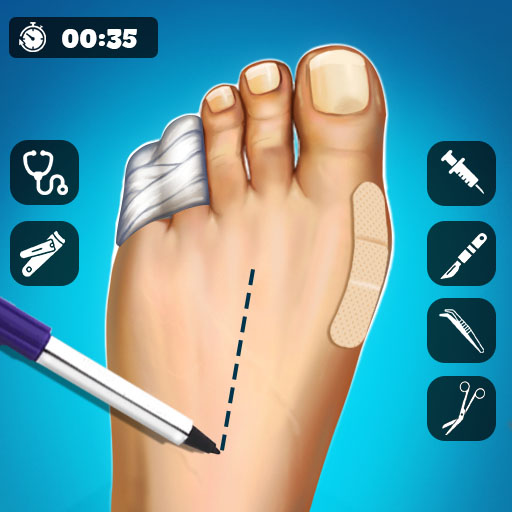
Hospital Surgeon Doctor Game
Run a multi-specialty hospital and help patients through guided mini-surgeries. Use medical tools, follow the on-screen instructions, and complete each procedure in the correct sequence.
About Hospital Surgeon Doctor Game
Hospital Surgeon Doctor Game is a family-friendly strategy experience set in a multi-specialty hospital. Treat patients through guided mini-surgeries and take part in heart, dental, eye, ENT, and orthopedic procedures. Diagnose illnesses and use the indicated medical tools during each treatment. Tap a highlighted tool, then drag or swipe it to the correct area of the patient while following the guide arrows and instructions. Complete every task in the correct sequence to finish each treatment. As you progress, you can unlock new cases and help patients recover. The game features colorful visuals, simple controls, and casual doctor-simulation gameplay suitable for all ages. It is designed for landscape orientation and is not supported on mobile devices.
Gameplay
This strategy game presents guided hospital treatment scenarios across multiple specialties. Players select highlighted medical tools, move them to the indicated patient areas, and follow on-screen arrows and instructions to complete procedures in the required order.
How to play
1. Start a patient treatment or surgery case. 2. Follow the on-screen guide arrows and instructions. 3. Tap the highlighted medical tool to select it. 4. Drag or swipe the selected tool to the indicated area of the patient. 5. Complete each task in the correct sequence. 6. Finish the treatment and progress to available new cases.
Frequently asked questions
What is Hospital Surgeon Doctor Game?
Hospital Surgeon Doctor Game is a strategy game where players run a multi-specialty hospital and treat patients through guided mini-surgeries.
What medical procedures are included?
The game includes heart, dental, eye, ENT, and orthopedic procedures.
How do I use the medical tools?
Tap a highlighted medical tool to select it, then drag or swipe it to the indicated area of the patient.
Do I need to follow a specific order?
Yes. Follow the on-screen guide arrows and instructions, and complete each task in the correct sequence.
Is the game supported on mobile devices?
No. Mobile Supported is listed as false. The game uses landscape orientation.